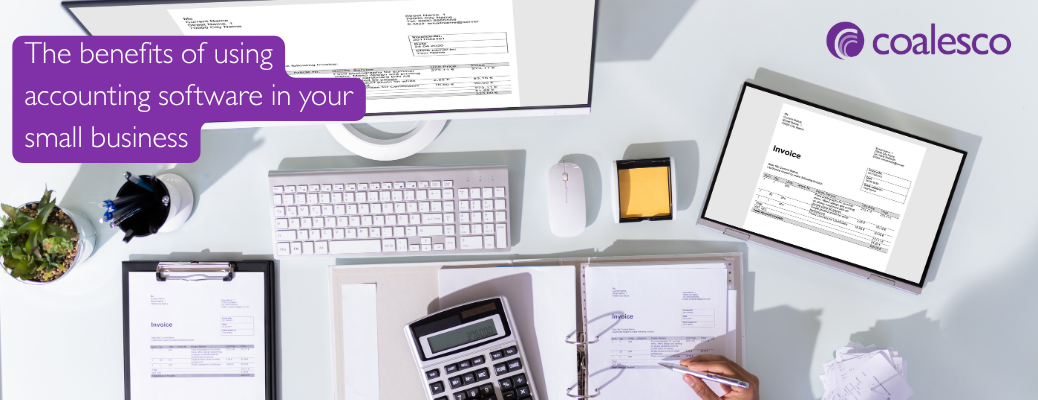
The benefits of using accounting software in your small business – a guide from Coalesco Certified Accountants.
How the right system can save time, improve cash flow and give you more confidence in your figures.
Running a small business involves far more administration than most people expect. You may be doing the work, speaking to customers, raising invoices, paying suppliers, checking the bank and trying to remember what needs to be sent to your accountant.
When the business is small, it can feel perfectly reasonable to manage everything through a spreadsheet, a folder of receipts and your online banking. That may work for a while. However, as the number of transactions grows, keeping accurate records can become time-consuming and stressful.
Good accounting software can make a real difference. It will not run your business for you, and it does not replace good advice, but it can reduce administration and give you a much clearer view of what is happening.
Here are some of the main benefits for a micro or small business.
1. It keeps your financial information in one place
Without accounting software, information often becomes scattered. Sales invoices may be in Word, expenses in a spreadsheet, receipts in an email inbox and payments in the bank account.
This makes it difficult to see the complete picture. It also increases the risk of something being missed or entered twice.
Accounting software brings your sales, purchases, expenses and bank transactions together. You can usually attach copies of invoices and receipts to the relevant entries, which makes records easier to find later.
This can be particularly useful when:
– A customer queries an invoice
– You need to check whether a supplier has been paid
– You want to find a receipt for a business purchase
– Your accountant needs evidence for a transaction
-HMRC asks for information
Having organised records saves time and makes the business less dependent on one person remembering where everything is stored.
2. It can save you time
Bookkeeping will always require some attention, but software can remove a great deal of repetitive work.
Bank feeds can bring transactions from your business bank account into the software. Rules may be used to suggest how regular payments should be recorded. Recurring invoices can be created for customers who are charged the same amount each month.
Instead of typing every transaction into a spreadsheet, you can review the imported information, match payments to invoices and deal with anything unusual.
The software still needs to be checked. An automatic suggestion can be wrong, and a bank feed does not explain the business reason for a payment. However, a well-set-up system can make the process considerably quicker.
The biggest time saving often comes from doing a little bookkeeping regularly, rather than facing a large backlog at the end of the quarter or year.
3. You can raise professional invoices quickly
Accounting software makes it easier to create and send consistent, professional-looking invoices.
The invoice can include your payment details and agreed terms. You may also be able to add an online payment option, depending on the software and payment service you use.
Once the invoice has been sent, you can see whether it remains outstanding and record the payment when it arrives. Some systems can issue automatic reminders, saving you from having to remember every follow-up date.
Most importantly, you can raise the invoice promptly. The sooner you invoice, the sooner the customer can pay.
4. It helps you see who owes you money
It is easy to confuse being busy with being paid.
You may have completed plenty of work and made good sales, but the business will still struggle if customers do not pay on time.
– Accounting software can show:
– Which invoices are unpaid
– How long each invoice has been outstanding
– Which customers regularly pay late
– How much is due in the next few weeks
– The total amount currently owed to the business
This gives you a clear starting point for credit control. You can follow up unpaid invoices before they become seriously overdue rather than discovering the problem when the bank balance becomes tight.
No software can make a customer pay, but it can make it much harder for an unpaid invoice to be forgotten.
5. It gives you a clearer picture of cash flow
Your bank balance tells you how much money is available today. It does not tell you what bills are due next week, which customers still need to pay or how much of the balance should be reserved for tax.
When your bookkeeping is up to date, accounting software can help you see money coming in and going out. Some packages also provide short-term cash-flow forecasts.
This can help you identify periods when cash may be tight and plan ahead for:
– VAT and tax payments
– Wages and subcontractors
– Supplier bills
– Insurance and annual subscriptions
– Loan repayments
– Equipment purchases
Seasonal changes in sales
A forecast will only be as useful as the information behind it, but even a simple forward view is better than making decisions from the current bank balance alone.
6. You can understand how the business is performing
Many small-business owners wait until their year-end accounts are prepared to find out whether they made a profit. By then, the information may describe a period that ended several months ago.
With current bookkeeping, accounting software can provide reports throughout the year. These may include a profit and loss account, balance sheet, aged customer balances and comparisons with earlier periods.
You do not need to become an accountant or spend hours studying reports. A few useful figures can help you answer practical questions such as:
– Are sales increasing or falling?
– Which months are strongest or weakest?
– Have costs risen?
– Are prices producing enough profit?
– Are customers taking longer to pay?
– Can the business afford a new commitment?
The value is not in producing more reports. It is in having clear information that helps you make better decisions.
7. It can make tax less of a surprise
Accounting software does not calculate every tax liability perfectly, and the figures still need to be reviewed. However, up-to-date records can give you a much earlier indication of the profit being made and the taxes that may become due.
If your business is VAT registered, the software can help record VAT on sales and purchases and prepare the information required for the VAT return. If you operate through a limited company, current figures can also help with estimating Corporation Tax.
For a sole trader, knowing the likely level of profit during the year can help you prepare for your Self Assessment bill.
An estimate is not the same as a final tax calculation, but it gives you time to put money aside and ask questions before a deadline arrives.
8. It reduces the year-end rush
If records are only brought together once a year, there may be hundreds of transactions to review. Receipts may be missing, descriptions forgotten and personal payments mixed with business expenses.
Keeping the software updated throughout the year spreads the work into manageable amounts. Queries can be resolved while the transaction is still fresh in your mind.
This can mean:
– Fewer missing documents
– Fewer questions at the year end
– More accurate information
– Less time spent searching through old emails and bank statements
– A smoother accounts and tax-return process
It can also allow your accountant to identify issues earlier rather than after the financial year has finished.
9. It makes working with your accountant easier
Cloud-based accounting software can allow you and your accountant to work from the same live information, subject to the access you provide.
You do not need to email different versions of a spreadsheet or wait until the year end to provide everything. Your accountant can review the records, answer questions and help correct problems before they grow.
This can be particularly valuable if you need support with:
– VAT returns
– Bookkeeping queries
– Cash-flow planning
– Tax estimates
– Management information
– Deciding whether the business can afford to employ someone or make a purchase
Good software does not reduce the value of your accountant. Used properly, it allows your conversations to focus more on the business and less on reconstructing old transactions.
10. It can grow with your business
A spreadsheet may be enough when there are only a handful of transactions. As the business grows, you may need to manage more customers, suppliers, invoices, expenses and payment methods.
Accounting software can provide a stronger foundation. Depending on the package, it may connect with other systems used by the business, such as payment platforms, online shops, receipt-capture tools, payroll or stock-management software.
Connections should be chosen carefully. Adding every available app can create extra cost and complexity. The aim is to build a simple system that suits the way your business actually operates.
11. It helps you maintain digital records
Digital record keeping is becoming an increasingly important part of the UK tax system. The exact requirements depend on your business and tax position, but using appropriate software can make it easier to maintain organised digital records and submit information when required.
Moving to software before a deadline applies gives you time to learn the system, correct the opening information and develop a regular routine.
It is much easier to become comfortable with the software gradually than to make a rushed change because a filing obligation is approaching.
12. Cloud software can improve access and resilience
With cloud-based software, authorised users can normally access the records securely from different locations and devices. Updates and backups are generally managed by the provider, although you should still understand its security arrangements and keep appropriate copies of important documents.
This can be safer and more convenient than keeping the only version of your accounts on one computer.
You still need to protect access by:
– Using a strong, unique password
– Turning on multi-factor authentication where available
– Reviewing who has access
– Removing access when someone leaves the business
-Being cautious about unexpected emails and sign-in requests
– Software is helpful, but good security habits remain essential.
What accounting software will not do
Accounting software is a tool, not an accountant.
It cannot automatically understand every transaction, decide whether an expense is allowable for tax or tell you whether a business decision is sensible. If the opening balances are wrong or transactions are recorded incorrectly, the reports will also be wrong.
Common problems include:
– Treating transfers between bank accounts as income or expenses
– Recording loan repayments incorrectly
– Claiming VAT where it is not recoverable
– Duplicating transactions
– Posting personal spending as a business cost
– Accepting every automated suggestion without checking it
– Leaving invoices and bills unreconciled
The software works best when it is set up correctly, kept up to date and reviewed regularly.
Choosing the right accounting software
The best package is not necessarily the one with the longest list of features. It is the one that suits your business and that you will use consistently.
Before choosing, consider:
– The number and type of transactions you have
– Whether you are VAT registered
– How you raise invoices and receive payments
– Whether you sell through online marketplaces or a website
– Whether you hold stock
– Which bank accounts and payment services you use
– Whether you employ staff
– What information you need from the system
– What your accountant supports
– The total cost, including any additional apps
A simple, well-run system is usually more useful than a complicated one that nobody fully understands.
How we can help
We know that moving to accounting software can feel daunting, particularly if spreadsheets have always worked for you or you do not feel confident with technology.
You do not need to work everything out alone. We can help you:
– Choose software that is appropriate for your business
– Set up the chart of accounts, bank feeds and opening balances
– Create suitable invoice templates and payment terms
– Connect relevant sales and payment platforms
– Provide practical training using your own business transactions
– Establish a manageable weekly or monthly bookkeeping routine
– Review the information and correct problems
– Prepare VAT returns, accounts and tax returns from reliable records
Turn the figures into useful information for business decisions
As a small accountancy practice, we understand that you need a system that saves time rather than creating more work. We explain things clearly, without assuming that you already understand accounting terminology.
If you are considering accounting software, struggling with a system you already have or simply want to know whether your current records are working properly, please get in touch. We can help you create a straightforward system that fits your business and gives you more confidence in your figures.
Contact Coalesco Accountants for a friendly, no-obligation conversation about accounting software and the support your business needs visiting our website – https://coalesco.co.uk/, call us on 0115 238 3228 or email info@coalesco.co.uk or pop into our offices in Wollaton, Nottingham.

The benefits of using accounting software in your small business – a guide from Coalesco Certified Accountants.